window manager
Hyprland, tamed
Dynamic tiling with dwindle and scrolling layouts, buttery animations, grouped windows, scratchpads, and per-workspace everything. The window manager that makes floating desktops feel quaint.
                 ▄▄▄
 ▄█████▄    ▄███████████▄    ▄███████   ▄███████   ▄███████   ▄█   █▄    ▄█   █▄
███   ███  ███   ███   ███  ███   ███  ███   ███  ███   ███  ███   ███  ███   ███
███   ███  ███   ███   ███  ███   ███  ███   ███  ███   █▀   ███   ███  ███   ███
███   ███  ███   ███   ███ ▄███▄▄▄███ ▄███▄▄▄██▀  ███       ▄███▄▄▄███▄ ███▄▄▄███
███   ███  ███   ███   ███ ▀███▀▀▀███ ▀███▀▀▀▀    ███      ▀▀███▀▀▀███  ▀▀▀▀▀▀███
███   ███  ███   ███   ███  ███   ███ ██████████  ███   █▄   ███   ███  ▄██   ███
███   ███  ███   ███   ███  ███   ███  ███   ███  ███   ███  ███   ███  ███   ███
 ▀█████▀    ▀█   ███   █▀   ███   █▀   ███   ███  ███████▀   ███   █▀    ▀█████▀
                                       ███   █▀
One ISO turns a fresh machine into a fully-tuned Arch + Hyprland development system — tiling windows, curated tools, twenty-two themes, and defaults worth arguing about. By DHH. No ricing required.
This page is keyboard-driven too — press ? for hotkeys.
The actual installer show — simulated here, ~47 seconds on a fast machine in real life.
1 philosophy
“A beautiful system is a motivating system, and productivity has always been downstream from motivation.”
— The Omarchy Manual
Omarchy is an omakase Linux distribution — Arch underneath, Hyprland on top, and a chef (DHH) who has already decided what’s for dinner. Every default has been argued about so you never have to. It’s not trying to be as familiar as possible. It’s trying to be beautiful and better.
This isn’t a grab bag of preinstalled packages. It’s a complete system designed with both aesthetics and productivity in mind — from Neovim (btw) to Chromium, Obsidian to LibreOffice, Kdenlive to OBS Studio. Hell, even a retro Winamp-style music player is there.
There’s zero bloat here: just everything he uses.
One obviously-right way to do everything, pre-decided. You can change anything — you just won’t want to for a long while.
Super + Space is your new home row. Windows, workspaces, menus, screenshots — all without touching the mouse.
Theme-delighted from the boot unlock screen to the lock screen. A system you enjoy looking at is a system you enjoy using.
Plain dotfiles, shell functions, and a manual that teaches the why — not just the what. Fork it, bend it, make it yours.
2 the stack
Shown, not just listed — the actual tools that greet you on first boot.
Dynamic tiling with dwindle and scrolling layouts, buttery animations, grouped windows, scratchpads, and per-workspace everything. The window manager that makes floating desktops feel quaint.
Top bar, menus, notifications, OSD and lock screen — one coherent shell. Drag widgets, edit shell.json, own your bar.
LazyVim out of the box: LSPs, treesitter, fuzzy find with SpaceSpace, git controls on SpaceGG. VSCode, Zed, Cursor & Helix a menu away — theme-matched.
Alacritty, Ghostty, Kitty or Foot — all pre-themed, all wired to Super+Return. Tmux and Herdr keep sessions immortal; Starship keeps the prompt honest.
Lazygit for git, Lazydocker for containers, btop as Activity (Super+Ctrl+T), fzf, zoxide, ripgrep, eza, fastfetch. The good stuff, pre-configured.
Claude, Codex, OpenCode, Gemini & friends pre-wired as lazy mise stubs. tdl c splits an IDE: editor left, agent right, terminal below. They even follow your theme.
Chromium, Obsidian, Omawrite, LibreOffice, Nautilus, Pinta, Kdenlive, OBS Studio, LocalSend for AirDrop-style sharing. Double-click sanity included.
Ruby on Rails (of course), Node, Bun, Deno, Go, Rust, Python, Elixir, PHP, .NET, Zig — all mise-managed. Docker + Compose ready, databases one menu away.
Steam with Proton, RetroArch preconfigured with the CRT Royale shader, Lutris, Heroic, Battle.net, Moonlight, and Minecraft. The Steam Deck runs Arch — so do you now.
Full-disk LUKS encryption is the default, not an option buried in a wizard. System snapshots mean every experiment has an undo button. Lost laptop ≠ lost data.
3 themes
Each theme restyles the desktop, terminal, Neovim, btop, Chromium, the bar, menus, notifications, the OSD and the lock screen. Pick one below — it restyles this entire page too.
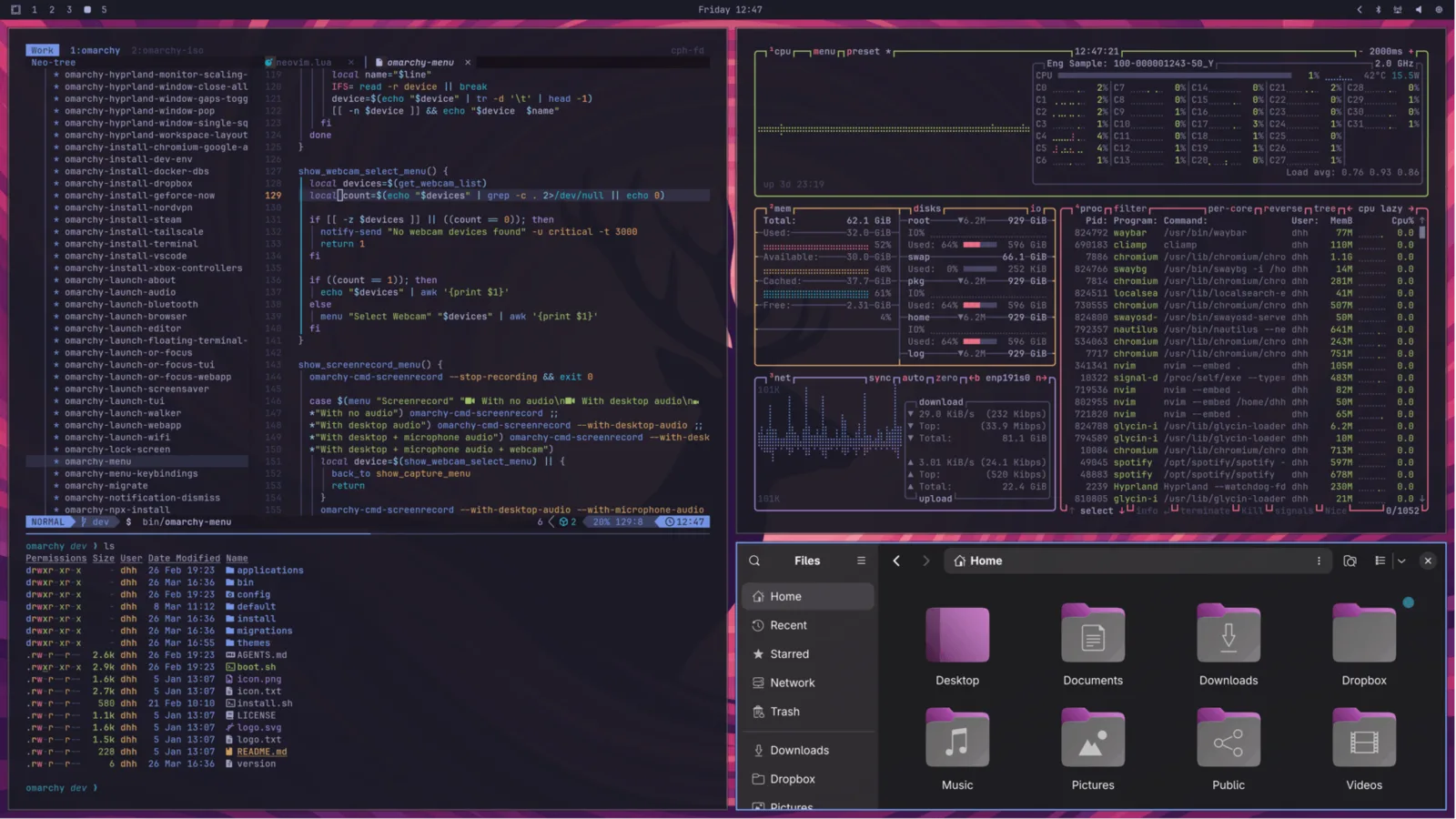
$ omarchy-theme-set tokyo-night
Super+Ctrl+Shift+Space on the real system · T cycles themes here
4 install
Five steps. No wiki spelunking, no dotfile archaeology, no rice.
Grab the latest Omarchy image — Quattro, v4.0.0.
wget https://iso.omarchy.org/omarchy-4.0.0.iso
balenaEtcher on Mac/Windows, or caligula on Linux. Any stick from the last decade will do.
caligula burn omarchy-4.0.0.iso
Disable Secure Boot and TPM in the BIOS first; they’re Microsoft schemes the installer can’t boot through. Then boot off the stick.
Keyboard layout, name, email, username, password. Pick a drive — full-disk, or the free space beside Windows for a dual boot. Encryption is on by default.
Setting it up for someone else? Ctrl+C on the first screen defers all personal setup to their first boot.
Under a minute on a fast machine, never more than five. Reboot, type your passphrase, and Tokyo Night greets you with everything already running.
✔ Welcome to Omarchy.
Full-disk encryption can’t hear Bluetooth at boot — same as your BIOS. A cable is nicer for latency anyway. DHH types on a Lofree Flow84.
The free-space install slots Omarchy into unallocated drive space, so it lives happily next to Windows. (Turn BitLocker off first.)
Hand the ISO its config on a second drive and it installs with zero keyboard — a base image for VMs and fleet machines.
5 hotkeys
The greatest hits, straight from the manual. On the real system, Super+K shows every binding, any time.
6 onward
omarchy-4.0.0.iso — the whole omakase on a stick.
install → ▤Short, opinionated, and genuinely fun. Teaches the why.
omarchy.org/manual → ★Every default in the open. MIT licensed — fork the chef.
basecamp/omarchy → ✦Stuck? #omarchy-help is full of people who’ve been there.
See the rigs Omarchy runs on — from Frameworks to battlestations.
workstations → ▲Wear the tiling-window religion on your sleeve.
supply.37signals.com →